
FMM 2016 Scout LITE1.0 - Get APK
You'll be able to download in few seconds.
Publisher Description
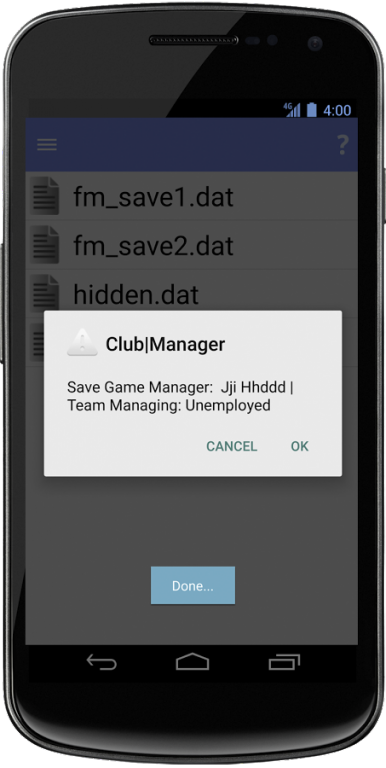
FMM 2016 Scout LITE is the latest release in the one and only scouting series on mobile and tablet devices which allows you to find those hidden gems in game.
Year on year adding new features to the app.
Take a step back from management and test your skills at scouting out and finding those players that you need to complete your squad in game!
Building upon the success of FMH 2014/15/16 Scout, FMH 2015/16 Pre Editor iScout FMH is pleased to release this seasons scouting utility.
Found a player in game? Want the low down on their potential? Football Manager Handheld 2015 Scout enhances you as a managers ability to find that perfect player.
NOTE:
- A internet connection will be required when first installing it.
- Managers name must be 3 characters long or more for FMH Scout to work.
Changes/Features:
- New Lighter Improved UI.
- FMM 2016 Scout now remembers your last load save location.
- Increased compatibility with different resolutions.
- 1 Filter only
Please be aware that the LITE version only has one filter.
For more filters please purchase the FULL Version and get:
- Quick load of remembered saves.
- Double sorting to give finer filtering.
- 14 functioning filters.
- Ability to add all of the searched list into one big shortlist.
- New shortlist view so you can see who's been added and remove them if needed.
- Actually see players attributes within the shortlist.
- New staff list view.
- Staff List filters.
- Staff Attributes
About FMM 2016 Scout LITE
The company that develops FMM 2016 Scout LITE is iScoutFMH. The latest version released by its developer is 1.0.
To install FMM 2016 Scout LITE on your Android device, just click the green Continue To App button above to start the installation process. The app is listed on our website since 2016-01-20 and was downloaded 0 times. We have already checked if the download link is safe, however for your own protection we recommend that you scan the downloaded app with your antivirus. Your antivirus may detect the FMM 2016 Scout LITE as malware as malware if the download link to uk.co.iscoutfmm.fmm2016scout.lite is broken.
How to install FMM 2016 Scout LITE on your Android device:
- Click on the Continue To App button on our website. This will redirect you to Google Play.
- Once the FMM 2016 Scout LITE is shown in the Google Play listing of your Android device, you can start its download and installation. Tap on the Install button located below the search bar and to the right of the app icon.
- A pop-up window with the permissions required by FMM 2016 Scout LITE will be shown. Click on Accept to continue the process.
- FMM 2016 Scout LITE will be downloaded onto your device, displaying a progress. Once the download completes, the installation will start and you'll get a notification after the installation is finished.
Program Details
System requirements
Download information
Pricing
Version History
version 1.0
posted on 2016-01-20
Disclaimer
External Download
We do not host FMM 2016 Scout LITE on our servers. We did not scan it for viruses, adware, spyware or other type of malware. This app is hosted by Galad and passed their terms and conditions to be listed there. We recommend caution when installing it.
The APK Download link for FMM 2016 Scout LITE is provided to you by apps112.com without any warranties, representations or guarantees of any kind, so access it at your own risk.
If you have questions regarding this particular app contact the publisher directly. For questions about the functionalities of apps112.com contact us.
